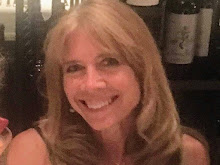
Yesterday I'd been scheduled to give a blogging workshop at a local networking group for unemployed professionals, BoulderNet. This is a wonderful group and the leadership really inspired me when I was unemployed. Unfortunately, there was a communication mixup, so I wasn't able to speak after all, but I have an alternative for those who want to learn to blog:
A full set of video tutorials is available for free at RecognizedExpert.com/blogger. Listen to the first two videos and you will have a blog up and running on Google's blogger in less than 5 minutes.(Blogger's the blogging platform I'm using for this blog.) Then you can sign up for free to get a link to the full set of 118 videos and learn all kinds of cool tricks and tips. I signed up almost a year ago and I haven't received a bit of spam from this site. And I learned so much! I highly recommend it.
Other posts that you may find interesting:
Picking a Blogging Platform
How to get Your Blog Blasted Everywhere
The Ultimate Job Search Using 10 Social Media Tools
How Blogging Got Me the Perfect Job
I highly recommend blogging, particularly for those who are looking for a job. It's a wonderful way to network, establish credibility, and learn so much yourself. The resources that are available for free via the web are absolutely incredible! We have the whole world at our fingertips... tutorials, white papers, blogs, and best of all, experts in every field that will help and support you! Take advantage of it! Learn and then give back, by passing it on!
Showing posts with label blogging. Show all posts
Showing posts with label blogging. Show all posts
Friday, July 2, 2010

Saturday, January 16, 2010
How Blogging Got Me a Perfect Job
Last week I landed the perfect job. How? It wouldn't have happened without blogging!
A few months ago, I decided that as long as I was doing all this networking to get a job in QA Management, I should use my social media skills to specifically network with industry experts via a new QA blog. There was even an article written in the Fort Collins paper about my blogging strategy. Even though these global experts might not know about specific job opportunities, I'd at least be gaining new knowledge that was bound to help me in interviews.
I started reading more and more about Software Quality Assurance. I joined a lot of groups and networks and began to recognize the leaders. It took awhile for me to build the confidence to start engaging with the big names... It was kind of intimidating! Would I be viewed as ignorant if I asked a dumb question? Would those gurus have time for an "unknown" like me? Would my lack of employment label me as a "loser" or a "pest" only looking for a job?
What I soon discovered is that regardless of how much of an expert someone is, they still appreciate recognition and like to help others gain the knowledge that they have. Certainly we want to do some sort of homework before asking questions of experts, but they are people, just like the rest of us! They write books and blogs and articles so that those of us that want to learn, can do so. And when we engage with them, whether to ask for clarification, respectfully debate a point, or tell them that we admire their work, we start to form a relationship.
Much to my delight, not only did I learn a TON, I began forming relationships with some of these Software QA leaders. We connected via LinkedIn, and in some cases became FaceBook friends. We followed each other on Twitter and I soon started feeling like one of the group! I joined a "writing about testing" network where many of these big names gathered, and put in a "position statement" to be accepted at a conference that is taking place in Durango in May. Only 15 people would be accepted. Again, it was intimidating to submit my name amongst these industry greats. Most of them have written books (much more academic than The Laptop Dancer Diaries!) But I did it...and I was accepted!
Then one day, one of those industry leaders, Matt Heusser, sent me an email. He'd read on my blog that I was interested in telecommuting. He wrote:
The job was work-from-home, working for TechTarget's SearchSoftwareQuality.com and would include covering conferences, networking with experts, and researching trends and tools. Was I interested? On a scale from 1-10, with 10 being the most interested, I was a 100! This was a job that would allow me to write, continue to explore Social Media, and stay up-to-date with latest, greatest news in the industry. I was already past the point of being timid about networking with the experts... I loved it. And it would actually be part of this job! How cool is that?
Matt took the trouble to learn more about my background and put in a glowing recommendation. Though I didn't have the journalism or editorial experience they had listed in their job description, I've had a 27-year career in Software Dev and QA, so if they were looking for a software quality techie, I was qualified.
But the HR interview went something like this:
HR: How much editorial experience do you have?
Yvette: None
HR: How much Web publishing experience do you have?
Yvette: None
HR: How much do you know about Content Management Systems?
Yvette: Not much
Yvette: What do you usually look for in a candidate?
HR (chuckling): Someone with a background in editing and Web publishing. So you don't fit the typical candidate...but (nicely) we may try something different.
It actually was not quite as bad as that, but I certainly did not think I was going to get the job.
But a few interviews and editor tests later, I had the hiring manager, the publisher, and myself convinced that I could definitely do this job. Not only could I do it, I could do it WELL. Not just well... ROCK STAR WELL! The hiring manager (who I love for her confidence in me) assured me that I could pick up the journalism skills that were needed. I agree. I feel more confident and excited about this job then any other I've ever been offered.
I start on Monday with a trip to Boston. This is going to be fun!
A few months ago, I decided that as long as I was doing all this networking to get a job in QA Management, I should use my social media skills to specifically network with industry experts via a new QA blog. There was even an article written in the Fort Collins paper about my blogging strategy. Even though these global experts might not know about specific job opportunities, I'd at least be gaining new knowledge that was bound to help me in interviews.
I started reading more and more about Software Quality Assurance. I joined a lot of groups and networks and began to recognize the leaders. It took awhile for me to build the confidence to start engaging with the big names... It was kind of intimidating! Would I be viewed as ignorant if I asked a dumb question? Would those gurus have time for an "unknown" like me? Would my lack of employment label me as a "loser" or a "pest" only looking for a job?
What I soon discovered is that regardless of how much of an expert someone is, they still appreciate recognition and like to help others gain the knowledge that they have. Certainly we want to do some sort of homework before asking questions of experts, but they are people, just like the rest of us! They write books and blogs and articles so that those of us that want to learn, can do so. And when we engage with them, whether to ask for clarification, respectfully debate a point, or tell them that we admire their work, we start to form a relationship.
Much to my delight, not only did I learn a TON, I began forming relationships with some of these Software QA leaders. We connected via LinkedIn, and in some cases became FaceBook friends. We followed each other on Twitter and I soon started feeling like one of the group! I joined a "writing about testing" network where many of these big names gathered, and put in a "position statement" to be accepted at a conference that is taking place in Durango in May. Only 15 people would be accepted. Again, it was intimidating to submit my name amongst these industry greats. Most of them have written books (much more academic than The Laptop Dancer Diaries!) But I did it...and I was accepted!
Then one day, one of those industry leaders, Matt Heusser, sent me an email. He'd read on my blog that I was interested in telecommuting. He wrote:
I know a web-based media outlet looking for someone with a testing background to do writing, editing, possibly management of the assistant editor for the website.
The job was work-from-home, working for TechTarget's SearchSoftwareQuality.com and would include covering conferences, networking with experts, and researching trends and tools. Was I interested? On a scale from 1-10, with 10 being the most interested, I was a 100! This was a job that would allow me to write, continue to explore Social Media, and stay up-to-date with latest, greatest news in the industry. I was already past the point of being timid about networking with the experts... I loved it. And it would actually be part of this job! How cool is that?
Matt took the trouble to learn more about my background and put in a glowing recommendation. Though I didn't have the journalism or editorial experience they had listed in their job description, I've had a 27-year career in Software Dev and QA, so if they were looking for a software quality techie, I was qualified.
But the HR interview went something like this:
HR: How much editorial experience do you have?
Yvette: None
HR: How much Web publishing experience do you have?
Yvette: None
HR: How much do you know about Content Management Systems?
Yvette: Not much
Yvette: What do you usually look for in a candidate?
HR (chuckling): Someone with a background in editing and Web publishing. So you don't fit the typical candidate...but (nicely) we may try something different.
It actually was not quite as bad as that, but I certainly did not think I was going to get the job.
But a few interviews and editor tests later, I had the hiring manager, the publisher, and myself convinced that I could definitely do this job. Not only could I do it, I could do it WELL. Not just well... ROCK STAR WELL! The hiring manager (who I love for her confidence in me) assured me that I could pick up the journalism skills that were needed. I agree. I feel more confident and excited about this job then any other I've ever been offered.
I start on Monday with a trip to Boston. This is going to be fun!
Friday, September 25, 2009
Picking a Blogging Platform

I've had three people ask me in the past 24 hours how to get started with blogging. There are so many resources that it's overwhelming!
If you're TOTALLY new, I suggest first taking a gander at this Blogging 101 slideshare presentation.
OK, so you know what blogging's all about. You want to get started, but you don't know which blogging platform to pick.
The two most popular free blogging platforms are WordPress.com and Google's Blogger.com. I've been using Blogger for the past couple of years and I absolutely love it! But I'd been hearing a lot about WordPress, so just recently I started a new blog about QA Management on that platform so I could compare the two. I know that TypePad is popular as well, but you only get a free trial and then would need to upgrade, whereas WordPress.com and Blogger are completely free. I'm all about free stuff, especially when you're learning and these two platforms have all the bells and whistles to keep you happily blogging for years! I really can't believe that they're free!
As for which to choose? My preference is Blogger, but I've only been using WordPress for a week, so it could be that I just haven't gotten used to it yet. This comparison chart does a good job of showing the differences. However, one thing I can't find with WordPress is an up-to-date tutorial! I found a site with a very comprehensive set of tutorials about Blogger, though. I watched the first two videos and found them very informative. And it looks like the full set of 118 videos is free (did I mention I like free stuff?)
One other really nice thing about these popular blogging platforms is that many other social sites automatically integrate with them. So, for example, you can easily share content from your blog on sites like Twitter, FaceBook, and LinkedIn. You can also, very easily share content from other sites, like YouTube and SlideShare on your blo
 g. If you have a custom blog, it's often not as easy to integrate.
With these popular platforms it's also very easy to add these cool "widgets" or "gadgets" as they're called. Those are the little applications you see on the sidebar -- the stuff to the right on this blog. I just added "Things to Ponder" for example.
My advice is get yourself a blogger account and just get your feet wet! If you want to blog for business, there's a lot more to learn. But for now, let blogger be your sandbox and get out and play!
Thursday, August 20, 2009
Woo Hoo! Second Place in Job Mob's Guest Blogging Contest!
 It's been an incredibly busy and productive week and there's so much I want to share, but for now I'll stick to one topic: How I got to 2nd place in Job Mob's Guest Blogging Contest with my entry on Networking!
The way it worked was that participants needed to write an original post and publish it on the Job Mob blog. Then I'd promote it to all my networks. The person with the most visitors wins the contest.
So, I wrote my article: 7 Quick Rules for Networking To Your Next Job and sent it to Jason Share who posted it to the Job Mob site. Since Networking is pertinent to the many LinkedIn groups that I'm a member of, I felt it was entirely appropriate to promote that article via the groups "News" sections. This is very easy to do in LinkedIn! You simply include the URL in News and then it goes out to all the group members in the next LinkedIn update.
So today (the final day of the contest) I checked the rankings and find that I'm in second place with 779 visitors to that article! This was helped by 19 ReTweets (visitors that felt the article was worth sharing via Twitter.) I'm not sure what time the contest officially ends but first place is 1866 visitors and third place is 355 visitors, so I'm in pretty solid standing for second place. But if you want to help me further (as well as learn 7 quick rules about networking) go ahead and check it out! (Do you think I've included the link enough times in this post?)
I always feel a little 'iffy' about promoting my blog posts. I don't want to be guilty of constantly asking people to 'read my stuff.' However, again, I didn't worry at all about that with using LinkedIn News. As long as the post reflects something that is pertinent to that group, it's perfectly acceptable to promote it using that option! So if you're trying to figure out a way to get more readers for your blog, join a LinkedIn group that's relevant and promote it via the News section!
Monday, August 3, 2009
How to Get Your Blog Post Blasted Everywhere
 Every once in awhile I try to post something informative about the use of social media to my blog and this is one of those days. As of today, my blog posts will now be blasted automatically to LinkedIn, FaceBook, and Twitter whenever I post anywhere.
If you're a follower that wants to get to the "how to get your blog post blasted everywhere" information, skip to the [Serious Section] of this post.
If you're one of my FaceBook friends that really only cares about what kind of Romance Movie I am (ok...so you don't care about that either) this is not the right post for you.
If you are a Twitter follower, I'm sorry this is more than 140 characters. I'm also sorry that I don't pay much attention to Twitter, so I apologize for not properly building our relationship.
If you take the time to blog (which is a good idea if you're in business) then it would be really nice to get as much exposure to your blog as possible, right? Well, there are some very easy ways to get your blog posts automatically updated to your LinkedIn, FaceBook, and Twitter accounts. This will take you about 5 minutes to set up and after that! Boom! Every time you make a blog post, all your networks will get updates with your magnificent missive, gaining you instant fame and fortune! Now, don't worry... your networks won't get emails about your blog posts unless they've specifically subscribed to receive them. Your posts will be on your profile pages, but one of the nice things about social media is that all your friends and followers can decide what they want to read. If you've posted about your wonderful new grandchild, for example, and they don't care about your wonderful new grandchild, they can just choose not to read it. (Though I really don't know how it would be possible to NOT care about such a newsworthy post.)
In any case, here's what you do:
[Serious Section]
On LinkedIn:
* Make sure your blog is listed on your "Websites" on your profile
* Add the Blog Link Application to your LinkedIn Profile. The Applications Link is on the left hand menu in LinkedIn.
On FaceBook:
It's really simple to import your blog into your Notes, once you find the right page in FaceBook. (I don't know about you guys, but sometimes I have a very hard time navigating through the FaceBook screens. I know I claim to have all this social media "expertise" but I'm navigationally challenged, in general.) I finally used google to help me find the link. Here it is:
http://www.facebook.com/editnotes.php?import
On Twitter:
Use the application Twitterfeed to get your blog post automatically to update Twitter. For this one, you need to know your blog's RSS feed. For example, if you are using Blogger, your RSS feed will be: http://blogname.blogspot.com/feeds/posts/default?alt=rss (substituting in your own blogname, of course.)
OK, there you have it! Go forth and multiply the readers of your blog! And if you don't want all your friends on all your networks to see your blog, well, then... don't do this.
Use the application Twitterfeed to get your blog post automatically to update Twitter. For this one, you need to know your blog's RSS feed. For example, if you are using Blogger, your RSS feed will be: http://blogname.blogspot.com/feeds/posts/default?alt=rss (substituting in your own blogname, of course.)
OK, there you have it! Go forth and multiply the readers of your blog! And if you don't want all your friends on all your networks to see your blog, well, then... don't do this.

Wednesday, July 29, 2009
How Personal Do You Get?
 Yesterday was a big day for me. I became a Grandma. I also had an in-person interview. And, even though all the advisers tell you not to do it, I shared this exciting news with the man I was interviewing -- even sent him this photo in my follow-up thank you email.
The advise is not to share this personal stuff. First of all (unfortunately) Grandma is practically synonymous for "old lady." I have to admit, I hesitate about mentioning the G-word. Both my daughter and I had our babies at a relatively young age (I'm tempted to say we had them at age 13, but that may conjure up different unappealing biases. I'd rather be thought of as old than ignorant.)
I am so conscious of my image, especially when job hunting that I've been trying to be more cautious about what I put on the internet. Some people say they never post photos or share stories about their kids or families because there are a lot of "crazy people out there." I've really grappled with this. Is posting this photo of my beautiful new grandson in any way dangerous? Will it hurt my image in some way because it's not professional?
The thing is, what I think makes blogging and social media so addicting for us, both as a writer and a reader, is that you DO get personal. As a blogger, when something wonderful happens, you just want to shout your good news from the rooftops! (or...in your blog) Your heart is filled with this joyous news and you want to tell everyone: "Look at this gorgeous baby! This is my grandson!" And when people on the other side -- the readers, the listeners, the people that have been through those joyous moments themselves -- see us being "human".. they connect. They see more than the "professional" side. They see the personal.
Yes, all the informative blogs will get recognition. Perhaps we lose some of our professionalism when we write about something personal. And when we blog we each have our own motivations and objectives. I still have not exactly figured out the purpose of my blog...in some ways it's just an outlet for me to air my thoughts on social media, especially relating to a job search.
But today it's a way for me to shout from the rooftops.
"I have a beautiful, healthy, magnificent Grandson! Wooo Hoooo!"
Subscribe to:
Posts (Atom)


 Posts
Posts